Finished status, you can analyze its findings on the scan details page.
Reading the results
Open a scan’s results by clicking View Results in the action menu (...) of a finished scan row.
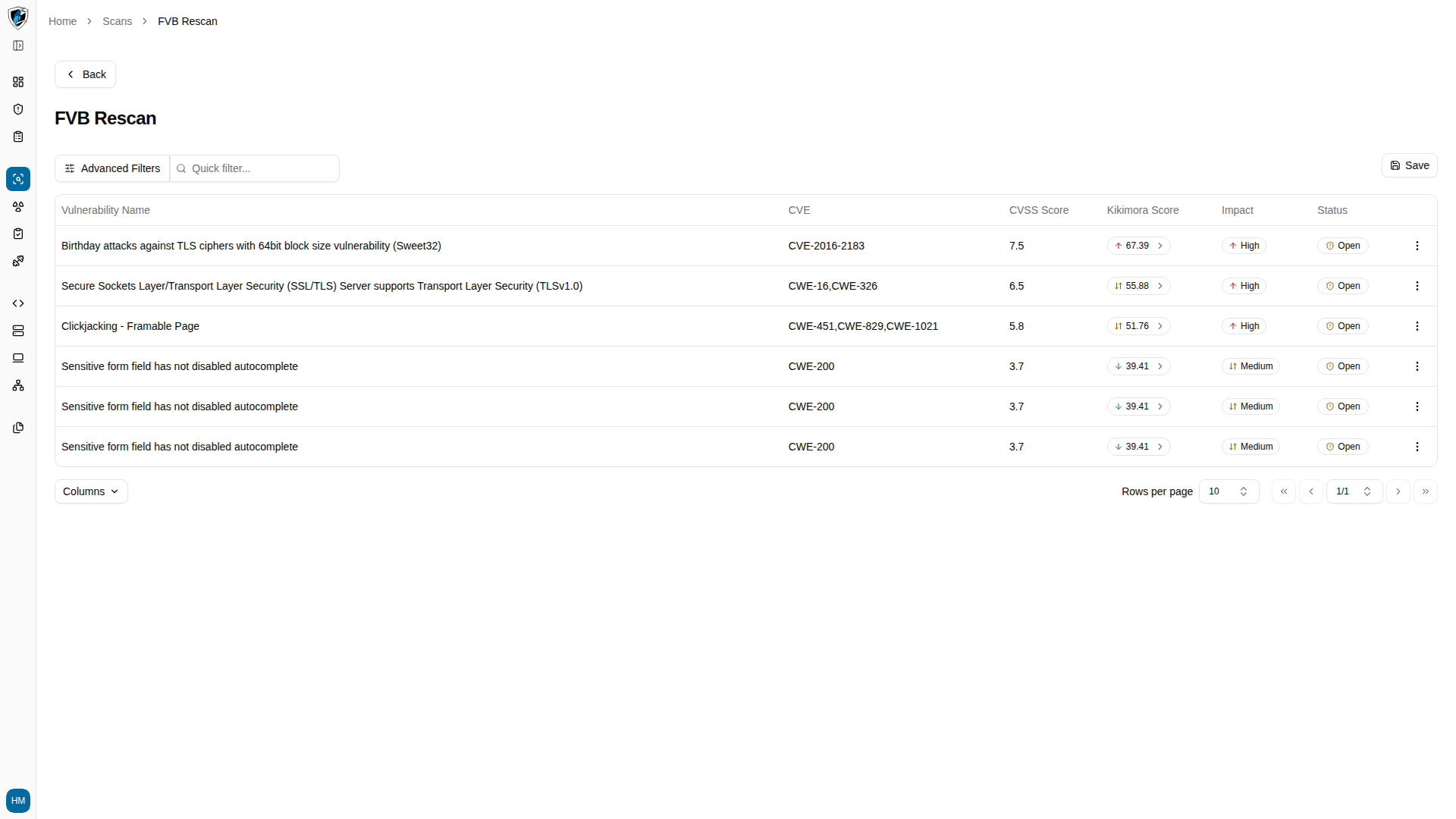
The results page has two parts. A filter bar supports quick search plus advanced filtering by severity, status, or CVE. Below it, the findings table lists each detected issue:
Open scan results
-
Click View Results on a finished scan row to open the scan details page.