Create New wizard
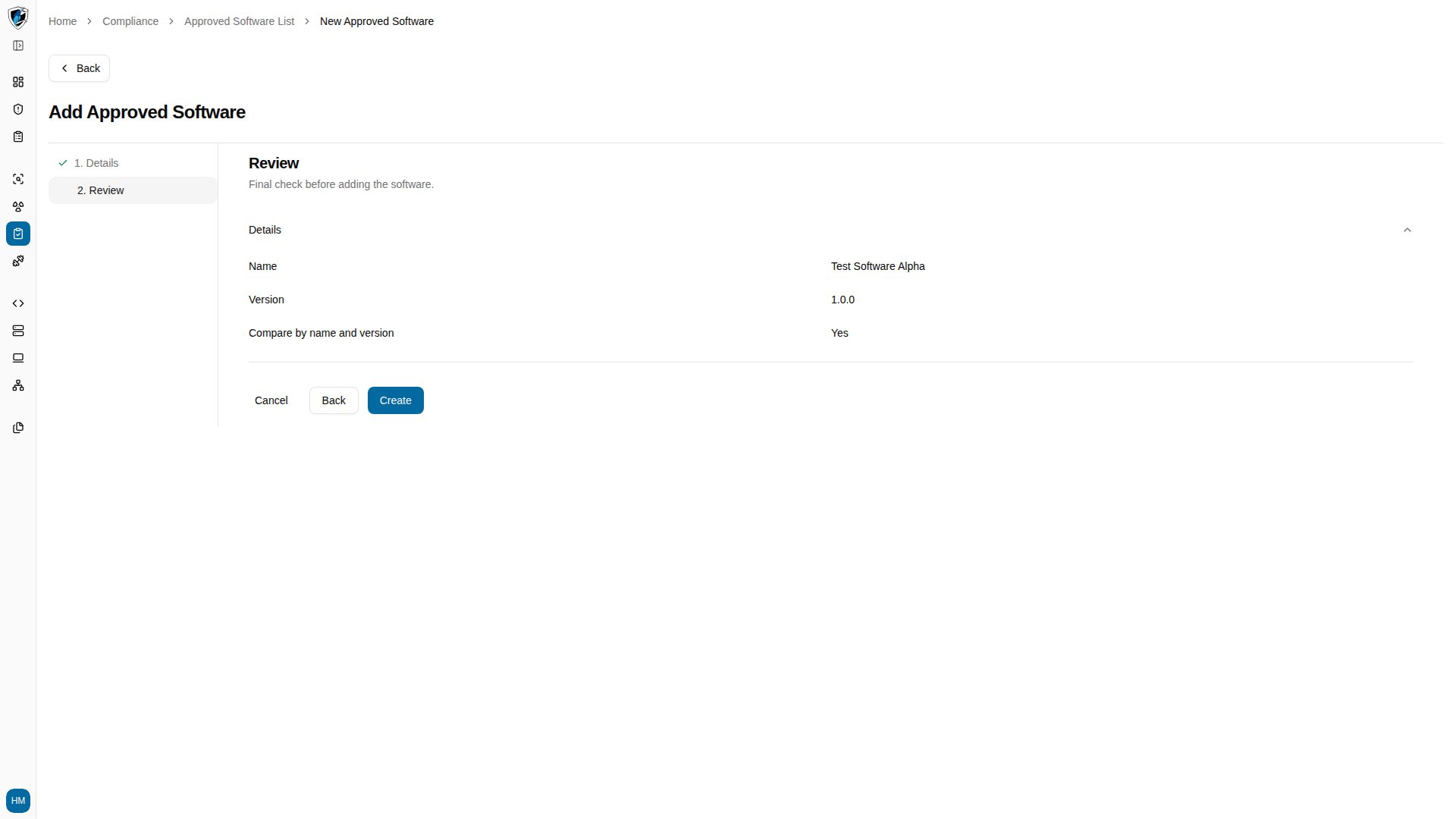
The wizard at/compliance/software/new takes two steps.
Step 1: Details
- Software Name (required) — the official name of the application. Leaving it blank returns
Name is required. - Version (optional) — the exact application version.
- Compare by name and version (checkbox) — when enabled, a match requires both the name and the version to agree.
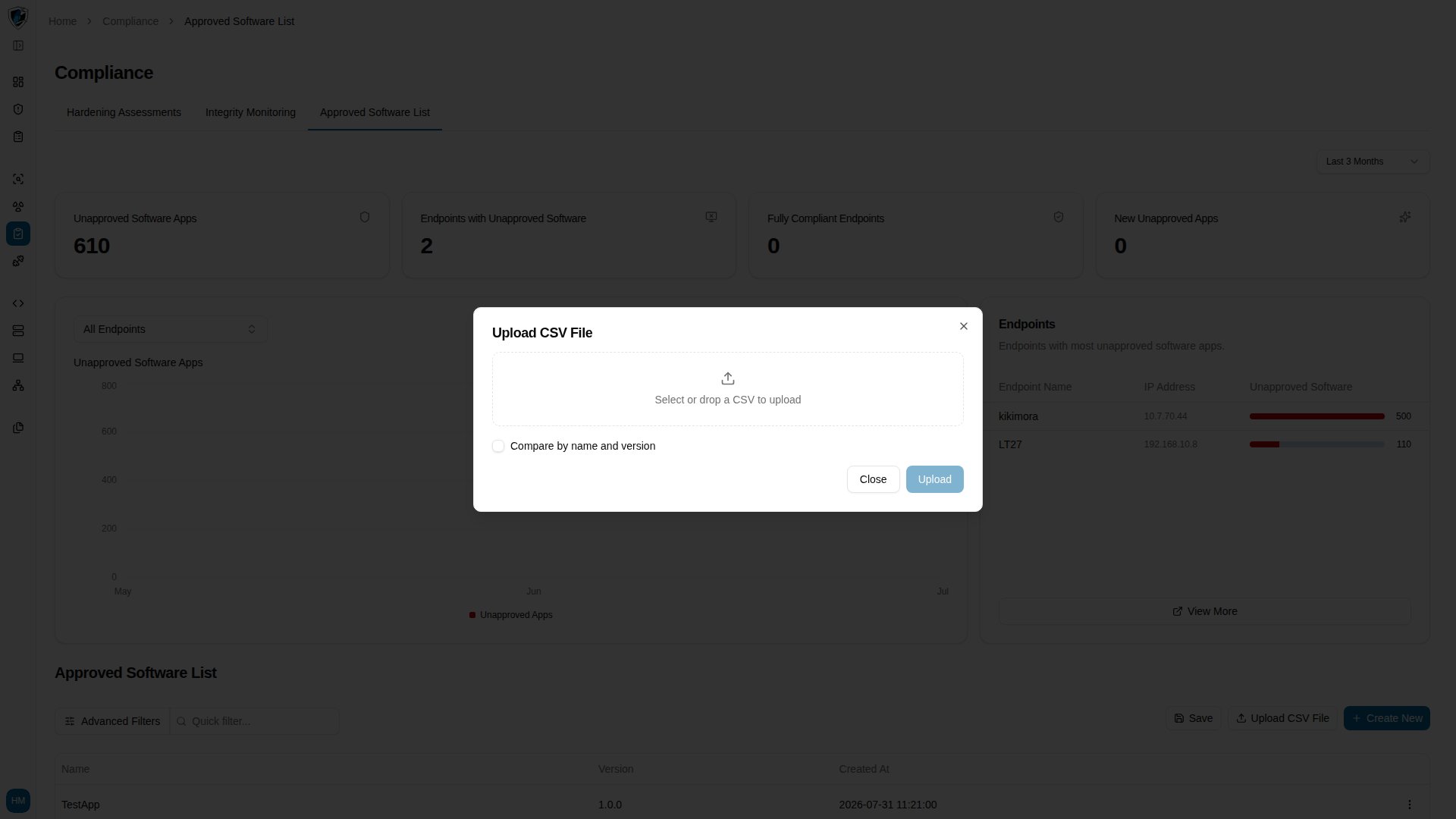
Upload CSV
The Upload CSV File dialog registers many entries at once:- File input — accepts
.csvfiles (text/csv). - Expected format — columns for the application name and an optional version, such as
NameandVersion. - Matching option — the same Compare by name and version checkbox, applied to every imported record.
Add a single entry
-
Click Create New on the Approved Software List page to open the wizard.
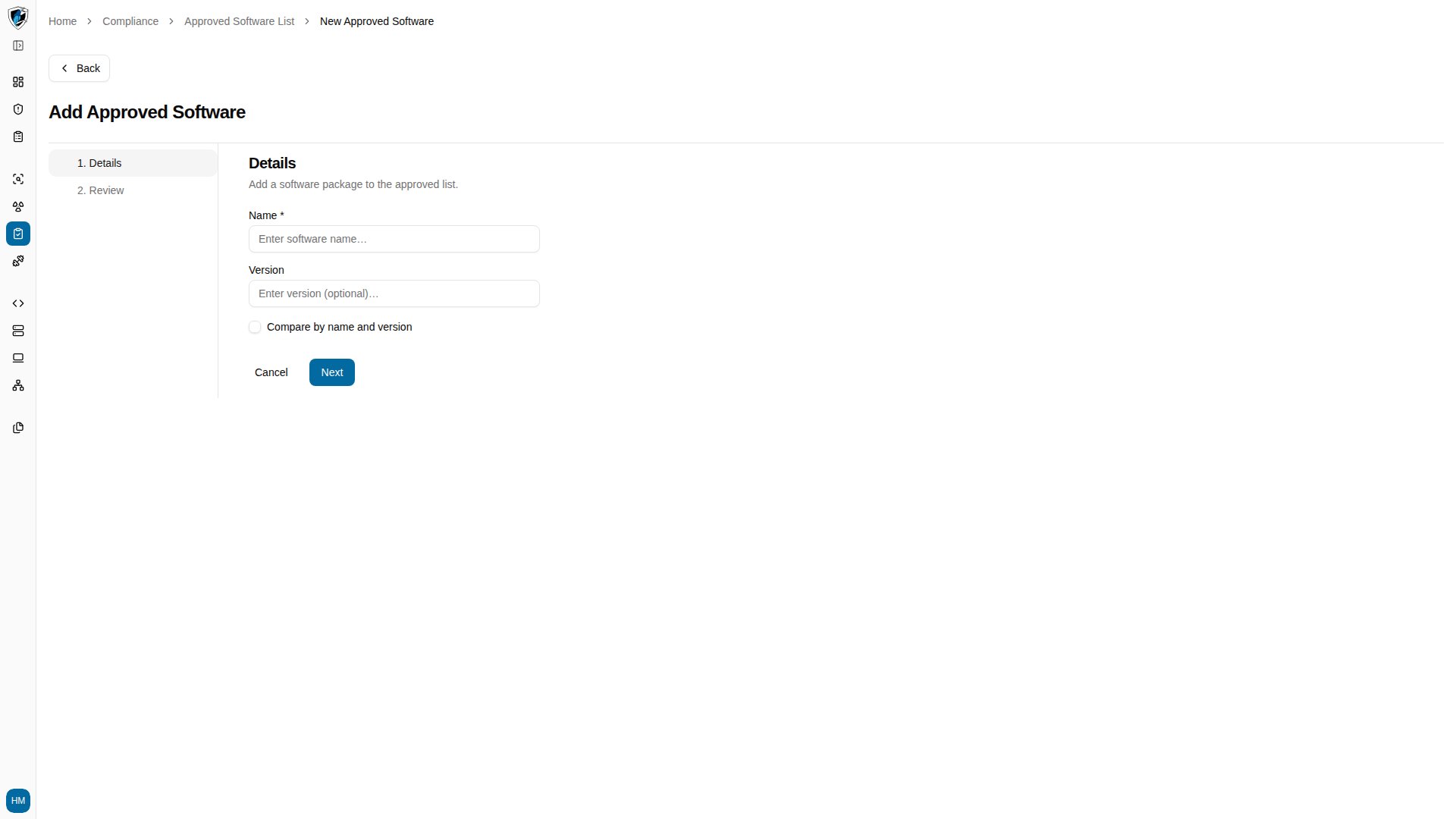
-
If you click Next without a software name, the inline error
Name is requiredappears.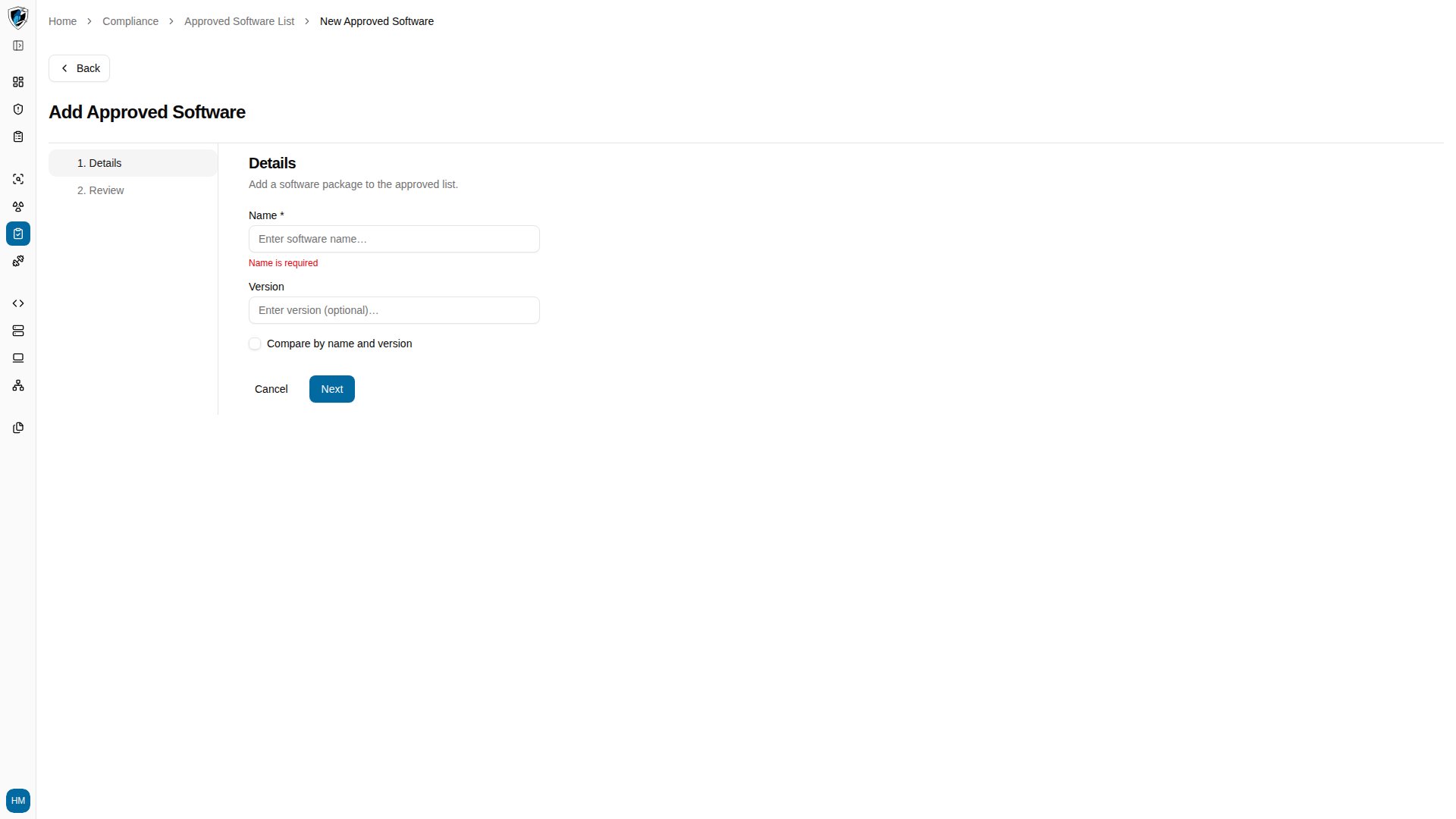
-
Enter a valid name and version, continue to step 2, and click Create.
Add entries in bulk
Click Upload CSV File in the table header to open the bulk upload dialog.